 Webnooks
How'd You Hear About Us?
Find Out Where Your Customers Come From — Starting Today.
A plain-English, step-by-step guide for business owners who want to stop guessing and start knowing exactly which channels bring in real customers — no tech background required.

Here's something most business owners will never admit out loud:
When someone asks "where are most of your customers coming from?" — they guess. They say "word of mouth" or "Google, probably." They say it with confidence. But underneath, they're not sure.
That's not a failure. Nobody teaches this. You're busy running a business, not studying dashboards. But here's why it matters more than almost anything else you'll do this year:
If you don't know which channel is sending you customers, you can't invest more in it. You might be cutting what's working. You might be doubling down on what isn't. Every marketing decision you make without this information is a guess with real money attached.
This playbook changes that. Five steps. No tech jargon. No expensive tools. Just a clear, practical system for seeing your business the way the most successful owners do.

82% of small business owners cannot accurately identify their top customer source without guessing. Most discover their assumption was wrong only after seeing real data for the first time.
A repeatable system for tracking where customers come from — set up in an afternoon, managed in 15 minutes a week — so you always know where to put your energy.
It won't automate everything or give you every answer. It gives you a foundation — the data layer that makes every other business decision smarter.
Ask the Magic Question
The no-tech method that starts working today — zero setup required.
Before any tool, any dashboard, any software — the single fastest thing you can do is simply ask every customer how they found you. This sounds too simple. It isn't. Most businesses never do it consistently, and it immediately tells you more than months of guessing. A handful of answers collected over two weeks will reveal patterns you never expected.
-
1
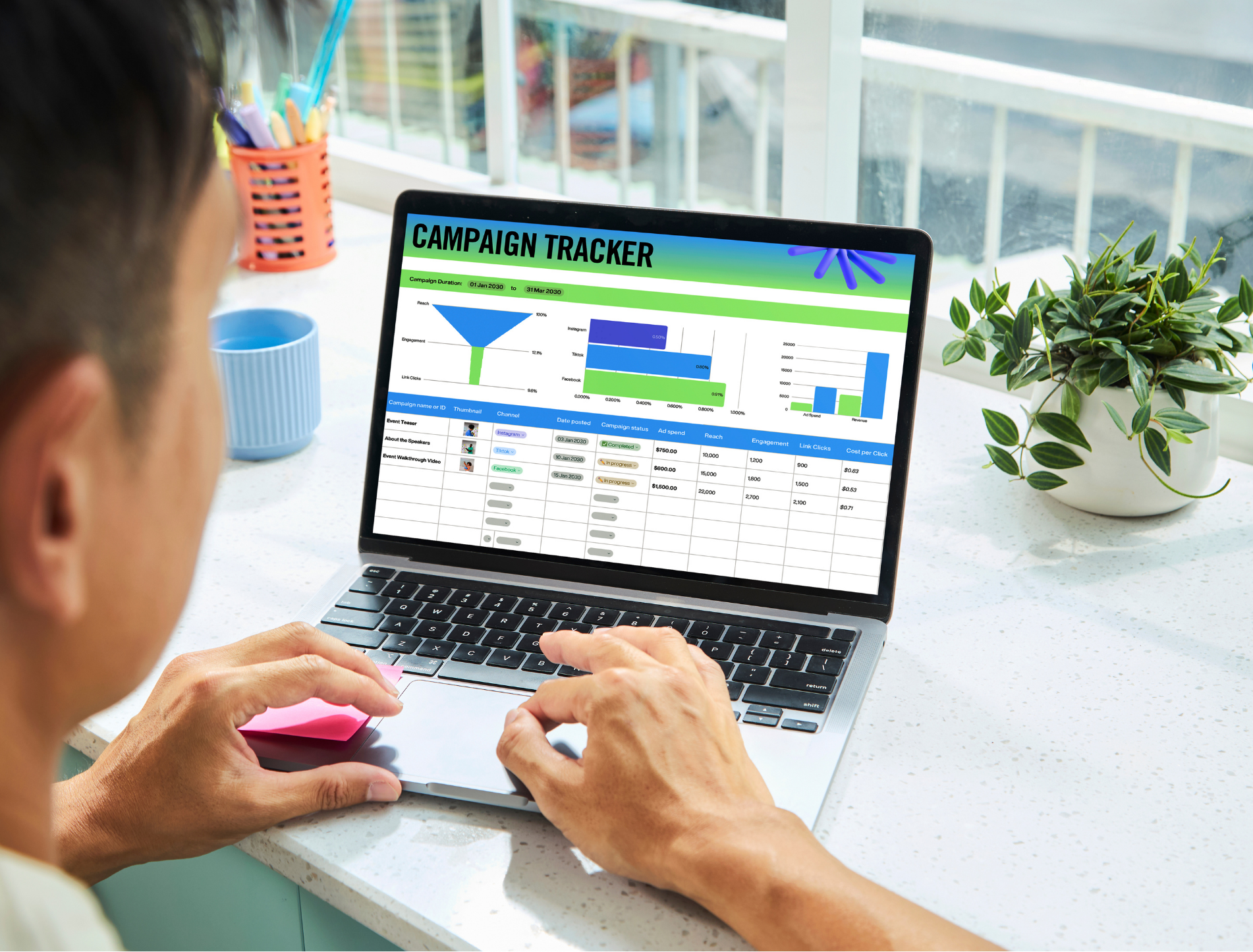
Open a free Google Sheet (sheets.google.com) and create 5 columns: Date | Customer Name | How They Found You | Category | Notes. This takes 3 minutes.
-
2
Add "How did you find us?" to every customer interaction. When someone calls, walks in, or books — make it the last question you ask. Friendly and natural: "Before I let you go — how did you hear about us?"
-
3
Log every answer the same day. Use these category labels: Google Search | Google Maps | Facebook | Instagram | Referral | Walk-by / Sign | Other. The "Other" pile is gold — look at it closely.
-
4
Review every Friday. After just 2–3 weeks, you'll have a pattern. That pattern is the beginning of a real marketing strategy.
Open a new tab. Go to sheets.google.com and create your tracker in the next 5 minutes. Name it "Customer Source Tracker." Add today's date and your last 3 customers — take your best guess on their source. You've started. That's the whole point.

Claim Your Google Business Profile
Your single most powerful free marketing tool — and most businesses haven't fully set it up.
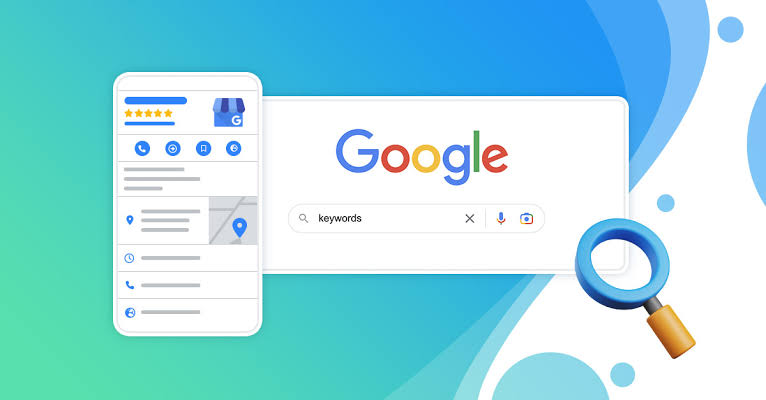
Your Google Business Profile (GBP) is the listing that appears when someone searches for your type of business nearby, or searches your name directly. It shows your hours, photos, reviews, and a button to call or get directions. For most local businesses, this is the #1 source of new customers — and it costs nothing. An unclaimed or incomplete profile means you're handing those customers to competitors who did set it up.
-
1
Go to business.google.com/create and sign in with your Google account. Search for your business name — it may already exist (Google creates listings automatically sometimes). If so, claim it. If not, create it.
-
2
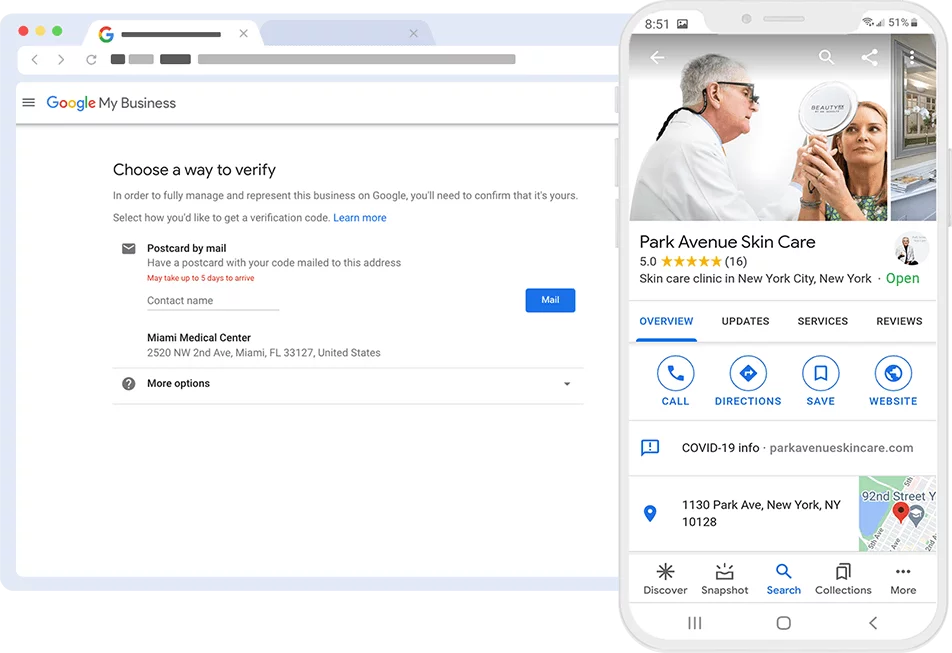
Verify your business. Google will mail a postcard with a code, call you, or let you verify by video. This step is required before your full profile goes live — start it today so the clock starts ticking.
-
5
Turn on messaging (so customers can text you directly) and add a booking link if you take appointments. Then respond to every existing review — positive and negative. Google rewards engagement.
Open a new tab. Go to business.google.com/create. Search your business name. If it exists, click "Claim this business." If not, click "Add your business." Starting the verification process today means you could be fully live within the week. Don't wait on this one — every day unclaimed is a day competitors are being found instead of you.
Install Google Analytics on Your Website
See exactly where your website visitors come from — for free, automatically, forever.
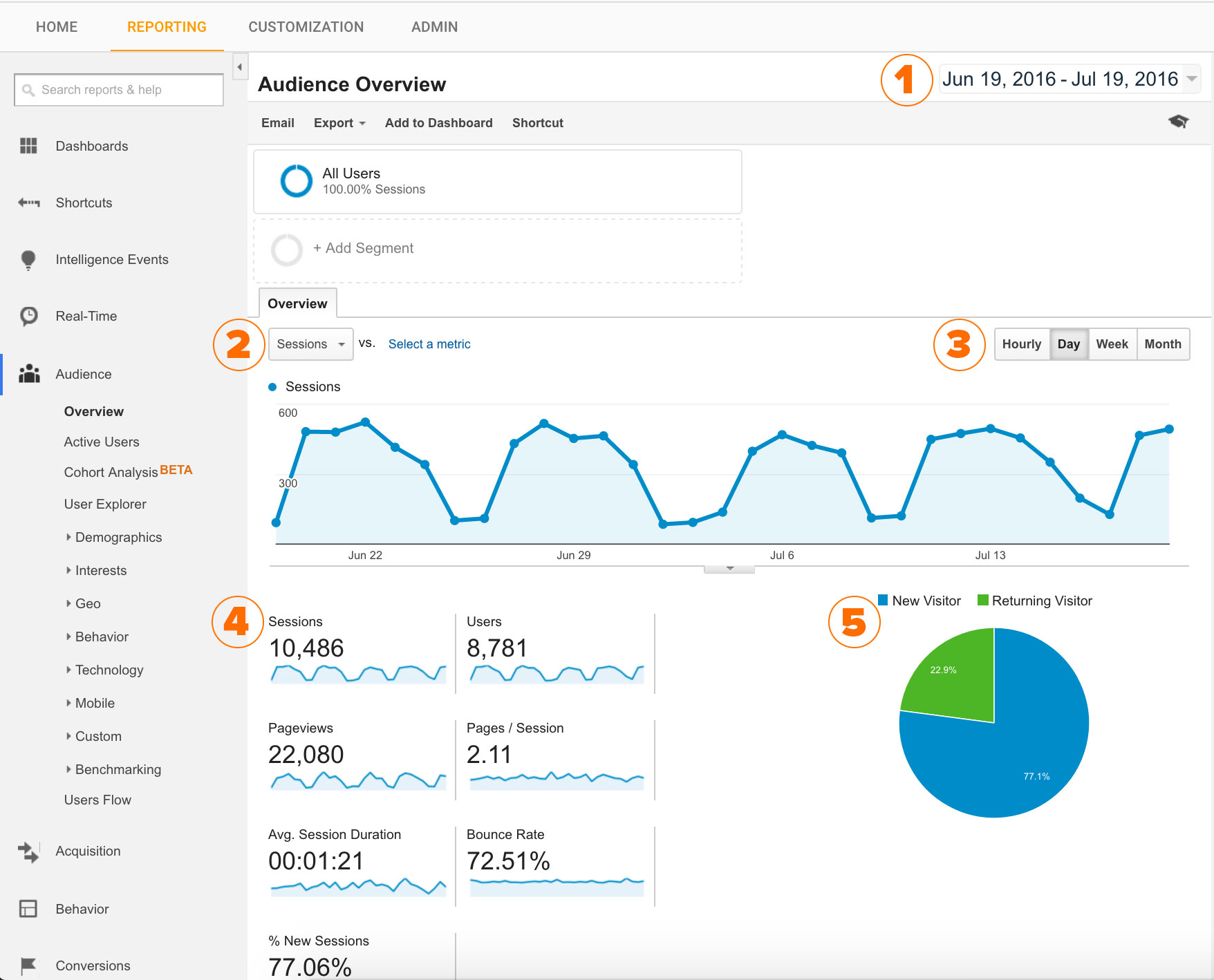
Google Analytics is a free tool that sits invisibly on your website and records every visitor — where they came from, what they looked at, and whether they took action. Without it, your website is a storefront with no door counter. With it, you can see: "Last month, 340 people found my site through Google Search, 89 came from Facebook, and 12 came from a referral. The Google visitors stayed longest and called most." That kind of information changes every decision you make.
-
1
Go to analytics.google.com. Sign in with your Google account. Click "Start measuring."
-
2
Create an Account and Property. Your "Account" is your business name. Your "Property" is your website. Follow the setup wizard — it takes about 5 minutes and asks simple questions.
-
3
Google will give you a Tracking Code — a small snippet of text. Copy it. If you built your site yourself (WordPress, Squarespace, Wix, etc.), each platform has a settings area to paste it. If someone else built your site, email them the code and say "please install this in the site header."
-
4
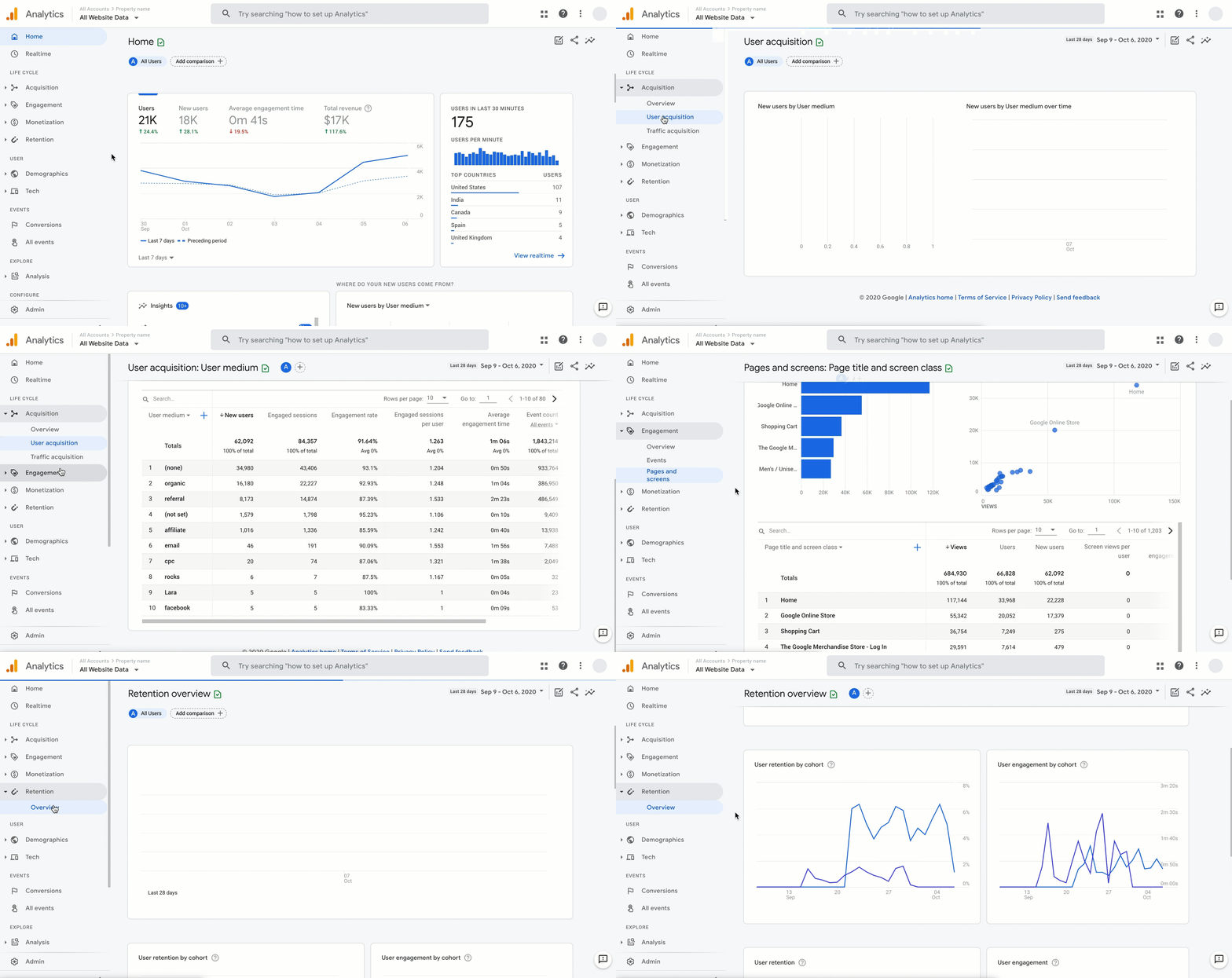
Know what the sources mean (see the Glossary below for plain-English definitions). The most important column to look at first: "Sessions" (visits) by source, and which source has the most engagement.
Go to analytics.google.com and create your account. Even if you can't install the code today, creating the account takes 5 minutes and is the necessary first step. If you have a web developer or IT contact, forward them this page and ask them to install the tracking code. It's a 10-minute job for them.

Start Tracking Every Phone Call
For most local businesses, the phone is the most valuable — and most invisible — lead source.
Here's a blind spot that costs businesses thousands: most local customers call before they visit or buy. But most businesses have zero way of knowing which channel drove that call. Was it Google Maps? The website? A Facebook ad? Without tracking, every phone lead is invisible. You know the call happened — you have no idea what caused it. This step makes your phone as trackable as your website.
-
1
The free method — start today: Add "How did you find us?" to your phone script. Make it the first or last thing you ask on every inbound call. Log it in your tracker (from Step 1). This works immediately and costs nothing.
-
2
Check your Google Business Profile call data. GBP tracks every call made from your Google Maps listing for free. Log into business.google.com → Performance → Calls. This shows you how many people are calling directly from Google Maps.
-
3
Write your call tracking script and post it by every phone in your business. Sample: "Thanks for calling [Business Name], this is [Name] — how can I help you today? … Before I let you go, quick question: how did you find out about us?"
-
4
Optional paid upgrade: Webnooks (~$45/month) gives each marketing channel its own unique phone number. Callers from Google Ads get one number, callers from your website get another, callers from Facebook get another. The system logs every call and tells you exactly which channel drove it — automatically.
Write out your call greeting script on a notepad. Add "How did you hear about us?" at the end. Print it and tape it by your phone today. Every call you take after this moment is a data point.

Build the 15-Minute Weekly Habit
Data only works if you look at it. This is the habit that makes everything else matter.
The most common mistake business owners make after setting up tracking: they never look at it again. The data piles up, unread. The insights go unacted on. The business that wins isn't the one with the best tools — it's the one that shows up every week and asks: "What did I learn, and what does that change?" This step turns data into decisions, and decisions into growth. Fifteen minutes. Every Monday. That's the whole system.
-
1
Your Google Analytics — Acquisition Report. Go to Reports → Acquisition → Traffic Acquisition. Look at last week's sessions by source. Ask: Which source grew? Which shrank? Did I do anything that might explain the change?
-
2
Your Google Business Profile — Performance tab. Searches, views, calls, direction requests. Look for the trend. If calls dropped, look at whether your hours changed or a negative review appeared. If they spiked, figure out why and repeat it.
-
3
Your Customer Source Tracker spreadsheet. Count the week's entries. Which category appeared most? Is it matching what your other tools are showing? If not, that gap is important — it means something is happening that isn't tracked yet.
-
Q
Which source is sending me the most customers this week? — Make sure you're not ignoring it or under-investing in it.
-
Q
Is any source I'm paying for producing zero results? — If yes, pause it. Redirect that spend to what is working.
-
Q
What changed this week versus last week? — Growth and decline both have causes. When you find them, you gain real control over your business trajectory.
Open your phone or calendar and block 15 minutes every Monday morning labeled "Marketing Check-In." This is your most important recurring meeting — with yourself. Name it. Schedule it. Protect it. The business owners who make the best marketing decisions aren't smarter. They just check their numbers every week.

Marketing Terms — Translated
No jargon. No fluff. Just what these words actually mean for your business.
The "How'd You find us?" Checklist
Print this page. Work through it. Check them off as you go.
Create your Customer Source Tracker spreadsheet in Google Sheets
Go to business.google.com/create and claim or create your Google Business Profile
Sign up for Google Analytics at analytics.google.com
Write your "How did you find us?" phone script and post it by your phone
Add at least 10 photos to your Google Business Profile
Respond to every existing Google review — positive and negative
Share your Analytics tracking code with your web developer to install
Check your GBP Performance tab for existing call and click data
Ask every new customer this week "How did you find us?" and log it
Log all customer sources in your tracker — build your first month of data
Review your Analytics Acquisition report for the first time
Compare: what you thought was working vs. what the data actually shows
Identify your #1 customer source — ask "am I investing in this?"
Identify any channel you're paying for with no trackable results — consider pausing it
You've started.
Most businesses never do.
What you've set up is a foundation — and it's more than most of your competitors have. But there's a fuller picture available: every lead traced to its exact source, every dollar of marketing spend mapped to a real result, and three specific actions ranked by what will move your business the most. That's the Customer Source Report we build at Webnooks. One conversation. One page. Everything visible.
Free Customer Source Report
We do a 15-minute deep-dive on your business — every channel, every source, everything tracked and everything invisible — and deliver a one-page breakdown of where your customers are actually coming from, which ones convert best, and exactly where to put more energy. You keep the report whether we work together or not.
Webnooks helps businesses build and manage the full online infrastructure behind consistent, measurable growth — analytics, advertising, SEO, social media, and more. When you're ready to go beyond the basics, we're here.